In Part 1 of this SEO course, you learned what SEO is and how search engines rank pages. In Part 2, you saw the real numbers on how AI changed SEO — the zero-click surge, the CTR collapse on AI Overview queries, and why being cited now matters as much as being ranked. You know why the algorithm cares about relevance and authority, and you know the stakes.
But knowing the theory won't get you to page one. This guide does the heavy lifting: a practical, intermediate walkthrough of the on-page and technical foundations that separate 2026 winners from everyone else. No fluff, no outdated tricks — just the fundamentals that still move rankings today.
If you're brand new, start with our beginner's guide to SEO first. If you've seen the AI numbers in Part 2 and you're ready to get your hands dirty, let's go.
Why On-Page and Technical SEO Matter in 2026
Google is no longer just matching keywords to pages. Since the rollout of its ranking systems built on machine learning, it understands meaning — the entities behind your words, the intent behind a query, and the quality of the experience a page delivers.
That shift has two consequences you need to internalise:
- On-page SEO decides whether Google understands and trusts what your page is about. If Google can't figure out your topic, it can't rank you for it.
- Technical SEO decides whether Google can even find, crawl, and render your page — and whether users have a fast enough experience to stick around.
Ignore either, and the other one doesn't matter. A brilliantly written page that crawlers can't read is invisible. A technically perfect page with thin content is a fast road to nowhere.
Here's the 2026 checklist, broken into the sections you'll actually use.
On-Page SEO: Making Every Page Undeniable
Before we get to crawl queues and render trees, the fundamentals of page-level optimisation deserve their due. These are the signals that tell Google — and your readers — what each page is about, clearly and consistently.
Title Tag vs H1
The <title> tag and the main <h1> heading do different jobs. The <title> is the browser-tab title and the primary signal for the headline shown in search results. The <h1> is the main visible heading at the top of the page. They should describe the same page and can be similar, but they don't have to be identical. Every important page should have a descriptive, unique <title>. Google explicitly recommends writing unique, descriptive titles for each page.
H2–H6 Hierarchy
Use one clear primary heading (the <h1>), then <h2>s for your major sections and <h3>s underneath them. Structure your headings the way you'd outline an essay: every level nests logically inside the one above it. Don't pick a heading tag because you like the font size it renders at — use the tag that matches the actual structural level, and control visual size with CSS. A clean, semantic heading outline also helps screen readers navigate your page.
Keywords in the Right Places
Keyword density is dead — stuffing a phrase over and over doesn't help and can hurt. But keywords still matter. Google explicitly recommends putting the words people search for in prominent places: the page <title>, the main heading, descriptive link text, and image alt text. Don't bury your target phrase under vague synonyms; say it plainly where it counts, and let the surrounding copy cover related terms naturally.
Meta Descriptions
A meta description isn't a direct ranking lever, but it's how your page appears in search results — and a clear, compelling snippet earns clicks that a generic one loses. Google recommends unique, descriptive titles and meta descriptions for every page. Keep them under roughly 160 characters, front-load the benefit, and include the phrase a searcher is likely to have typed.
URLs and Site Architecture
Use short, descriptive, human-readable URLs. A slug like /blog/best-accounting-software-nigeria tells Google and your readers what the page is about at a glance; /blog/p=48263 tells them nothing. Keep your URL structure stable, put related pages under sensible folders, and make every important page reachable within a few clicks of your homepage.
Images and Alt Text
Descriptive alt text helps Google understand an image's content and is essential for accessibility. Where it makes sense, use descriptive filenames too. Compress images, specify their dimensions, and serve them in next-gen formats so they don't slow the page down. Images should be crawlable — you can add an image sitemap where relevant — and they feed into the Core Web Vitals work below.
Content Structure and Search Intent
Answer the query early. Lead with a summary or direct answer in the first paragraph, break the body into descriptive sections your readers (and Google) can scan, and use lists and tables where they genuinely help. Match the format to the intent: a how-to deserves steps, a comparison deserves a table. Cut padding — every sentence should earn its place.
External Links and Citations
Link to authoritative primary sources, especially for factual or YMYL-style claims. A handful of well-chosen outbound links to reputable sources builds trust and helps search engines situate your content. Cite where the number or claim came from, and don't make claims you can't back up.
Core Web Vitals: The Speed and Stability Bar You Can't Fake
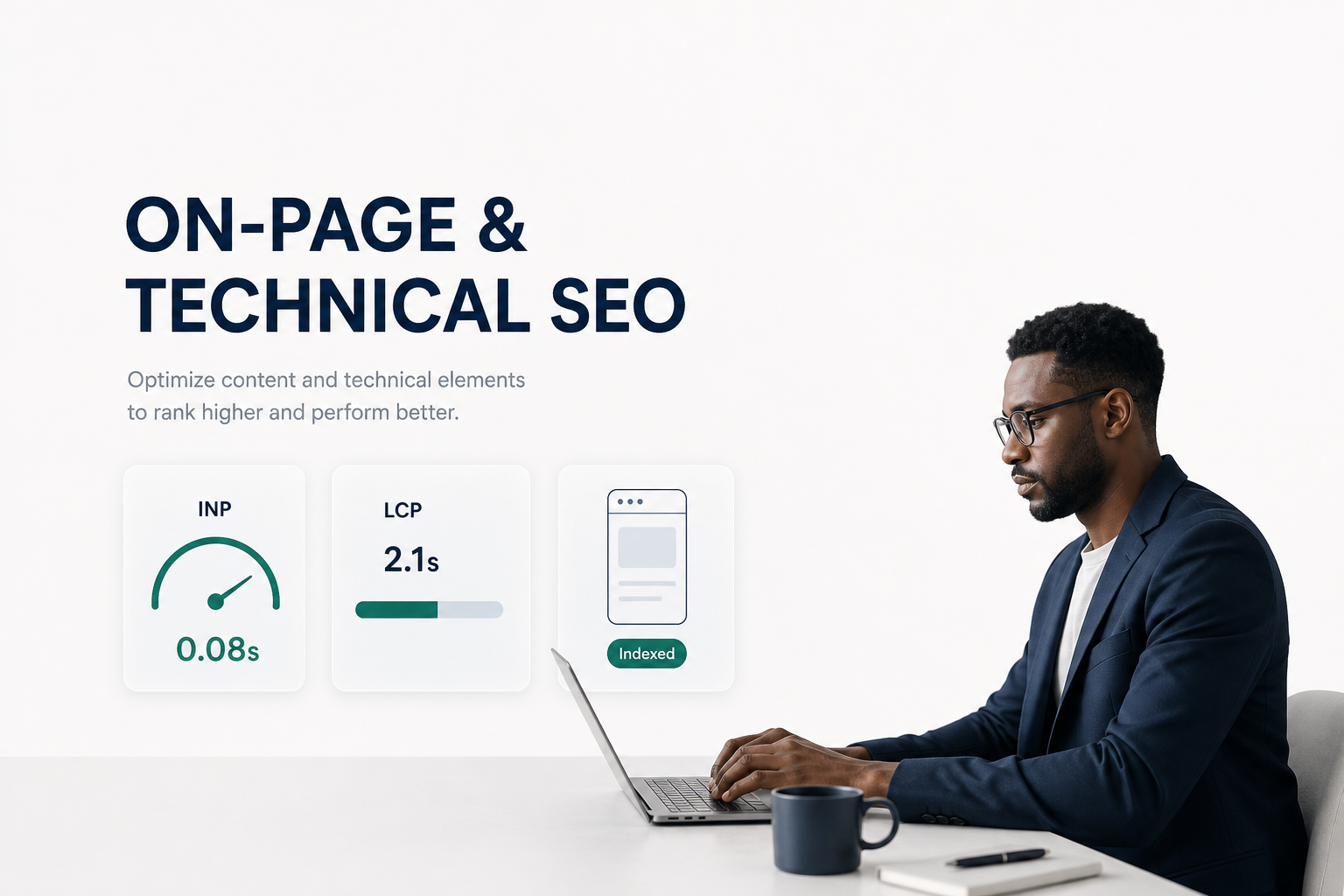
Page speed has been a ranking factor for years, and it isn't going anywhere. In 2026, the metric suite Google leans on is Core Web Vitals — a set of real-world, user-centric performance signals. If you take nothing else from this article, benchmark your site against these numbers:
LCP — Largest Contentful Paint (under 2.5 seconds)
LCP measures when the largest visible element (usually a hero image or headline) finishes loading. If a user's screen stays blank or half-rendered beyond 2.5 seconds, you're losing them — and Google knows it.
How to fix it: compress and lazy-load images, preload your hero image, and serve them in next-gen formats like WebP or AVIF. Cut render-blocking JavaScript and CSS from above the fold.
INP — Interaction to Next Paint (under 200 milliseconds)
INP replaced the old First Input Delay (FID) metric. It measures how quickly your page responds after a user clicks, taps, or types — the entire interaction, not just the first one. In 2026, INP under 200ms is your goal, and it's a direct reflection of how responsive your page actually feels.
How to fix it: reduce long tasks on the main thread, break up heavy JavaScript, defer non-critical scripts, and avoid layout thrashing that makes buttons feel laggy.
CLS — Cumulative Layout Shift (under 0.1)
CLS measures how much your page layout jumps around as it loads. Nothing kills trust — or conversions — like text shifting under your cursor right as you click.
How to fix it: always reserve space for images and ads, specify width/height attributes, and avoid injecting content above existing content without warning.
Pro tip: Run Google's PageSpeed Insights on your live URL — it takes 30 seconds and gives you both lab data and real-world field data from Chrome users. This is the same metric set we test every site we build at Digital Yeast.
Entity Optimization: Speaking Google's Language
Here's where on-page SEO gets genuinely modern. Instead of obsessing over keyword density (which, frankly, died years ago), think in entities — the people, places, products, organisations, and concepts your content is actually about.
Google builds a knowledge graph of how entities relate to each other. Your job is to make your page's entities unmistakable. (Related concepts and semantic relevance are real and useful — the industry's old "LSI keywords" framing for them isn't, and we won't lean on it here.)
How to optimise for entities:
- Be specific and consistent. Name the exact entities you cover — the brand, the product, the person, the concept. Don't bury your topic under vague synonyms. If your article is about "Interaction to Next Paint," say INP, link its definition, and use it consistently.
- Use natural, related terms. Cover the full context around your entity. An article about Core Web Vitals that never mentions LCP, CLS, or INP is a page Google struggles to place.
- Add structured data (schema markup). This is the single clearest way to tell Google exactly what an entity is. More on that below.
- Align with user intent. Every query has an intent — informational, navigational, transactional, or commercial. Match your content type to the intent behind the keywords you're targeting, exactly as covered in our breakdown of how search engines rank pages.
When Google confidently identifies your entities, you become eligible for rich results, knowledge panels, and featured snippet positions — all of which steal clicks from plain blue links.
Structured Data and Schema Markup: The Complete JSON-LD Article Snippet
Structured data is code you add to a page that explicitly describes its content to search engines. The gold standard in 2026 is JSON-LD (JavaScript Object Notation for Linked Data) — a clean, human-readable format that Google strongly prefers.
The most valuable schema for a blog article is the Article schema, which helps Google understand your content, display richer search results, and associate the article with your organisation and author.
Here's a complete, copy-paste-ready JSON-LD Article snippet — replace the placeholder values (marked in brackets) with your own:
{
  "@context": "https://schema.org",
  "@type": "Article",
  "headline": "[Your article headline]",
  "description": "[Your meta description]",
  "image": [
    "https://www.yourdomain.com/article/featured-1200.jpg"
  ],
  "author": {
    "@type": "Organization",
    "name": "[Your organisation name]",
    "url": "https://www.yourdomain.com"
  },
  "publisher": {
    "@type": "Organization",
    "name": "[Your organisation name]",
    "url": "https://www.yourdomain.com",
    "logo": {
      "@type": "ImageObject",
      "url": "https://www.yourdomain.com/logo.svg",
      "width": 384,
      "height": 200
    }
  },
  "datePublished": "[YYYY-MM-DD]",
  "dateModified": "[YYYY-MM-DD]",
  "mainEntityOfPage": {
    "@type": "WebPage",
    "@id": "https://www.yourdomain.com/blog/your-article-slug"
  },
  "inLanguage": "en",
  "isAccessibleForFree": true
}
Implementation tips:
- Place the JSON-LD block in the
<head>of your page (or use a plugin like Yoast SEO that handles it for you). - Validate it with Google's Rich Results Test before publishing. Invalid markup can make you ineligible for a rich result, and deliberately misleading schema can draw a manual action — so keep it accurate and honest.
- Use Organization and BreadcrumbList schema alongside Article schema for full entity clarity (make sure your visible breadcrumbs and the BreadcrumbList markup match).
- Keep
datePublishedanddateModifiedaccurate — don't fake adateModifiedrefresh. An old publication date on an evergreen article isn't inherently a problem; accuracy is what matters.
If you're on WordPress, this is one of the core reasons we recommend a solid SEO plugin — the ones we configure on every Digital Yeast site handle schema, sitemaps, and meta tags in one place.
Technical SEO Fundamentals: Crawl, Index, Render
On-page is about what Google understands. Technical SEO is about what Google can reach. Here's the 2026 minimum bar:
Crawlability and Indexability
If Googlebot can't crawl your page, it can't rank it. Make sure your robots.txt isn't accidentally blocking important pages, your XML sitemap is fresh and submitted to Google Search Console, and you're not leaking thin or duplicate pages into the index. Use noindex deliberately for pages you never want ranked — never by accident.
Indexing Diagnosis in Search Console
When a page isn't showing up, Search Console's URL Inspection tool tells you exactly which stage it's at: discovered (found but not yet crawled), crawled — currently not indexed (crawled but deemed not worth indexing), or indexed. A sitemap submission is a request, not a guarantee — Google still decides what to index. If important pages sit in "not indexed," prioritise the on-page quality signals above, fix crawl issues, and check for duplicate or thin content competing for the same intent.
Redirects, 404s and Status Codes
A page that moves should send a 301 redirect to its new URL, so links and authority carry over. A page that's gone for good should return 404 cleanly, not a soft-200 that serves junk. Every live response you want indexed should be a 200. Broken internal links and accidental redirect chains waste crawl budget and confuse both users and robots — audit them regularly.
JavaScript and Rendering
If your site is built with React, Next.js, Vue, a headless CMS, or any JavaScript framework, make sure the important content and links are visible in the rendered HTML — not only produced client-side after a script runs. Google renders JavaScript, but it's slower and can fail. Use server-side rendering or prerendering for critical content, ensure your links are real <a href> elements rather than click handlers, and verify in Search Console's URL Inspection that the rendered DOM contains what you expect.
Internal Linking and Breadcrumbs
Internal links help Google discover pages and pass authority between them. Use descriptive, keyword-rich anchor text, and link naturally between related articles — the same logic behind the internal links we've sprinkled through this very guide. Aim for a clear site hierarchy where every important page is reachable within a few clicks. Visible breadcrumbs (Home → Guides → This Article) reinforce that hierarchy for both users and search engines, and make sure any BreadcrumbList markup mirrors what's actually shown on the page.
HTTPS, Mobile and Canonicals
HTTPS is table stakes — a valid SSL certificate is a basic trust signal, and modern browsers flag insecure pages. Under mobile-first indexing, Google primarily indexes and ranks the mobile version of your page, so a responsive design where the same HTML adapts via CSS remains the cleanest solution. And a rel="canonical" tag tells Google which version of a page is preferred, preventing duplicate-content confusion when the same content is reachable via multiple URLs (think ?utm= parameters, www vs non-www, or HTTP vs HTTPS).
Google Guidelines: The Rules That Keep You Safe
Everything above aligns with Google's own Search Essentials — the framework Google uses to judge your site. It asks three questions:
- Does your page have genuinely helpful, E-E-A-T-aligned content (Experience, Expertise, Authoritativeness, Trustworthiness)?
- Is the page technically accessible and crawlable?
- Does it load fast and render well on mobile?
If you can answer yes to all three, you've covered the fundamentals. And you'll notice none of them require keyword stuffing, cloaking, or any of the blackhat tactics we warned about in the beginner's guide. Whitehat fundamentals still win in 2026 — they just demand more craft than they used to.
Where to Go From Here
On-page and technical SEO aren't rocket science, but they are detail work. The sites that win in 2026 are the ones that combine genuinely useful content, crystal-clear entity signals, correct structured data, and a fast, crawlable, mobile-first experience.
Your action plan this week:
- Run PageSpeed Insights and fix anything failing Core Web Vitals (LCP < 2.5s, INP < 200ms, CLS < 0.1).
- Add Article JSON-LD schema to your top 5 posts and validate them.
- Audit your
robots.txt, sitemap, and canonical tags in Google Search Console. - Review your internal links — every important page should be clickable from somewhere relevant.
That's the fundamentals. Nail these, and you've built the foundation every successful page-one ranking stands on.
Want this handled properly? We're a full-service agency — from superfast responsive builds to this exact on-page and technical optimization. Get a quote from Digital Yeast.
This is Part 3 of the Digital Yeast modular SEO course. Read Part 1: What is SEO and how search engines work for the foundation, and Part 2: How has AI changed SEO — the real numbers to see why on-page and technical fundamentals matter more than ever. This guide shows you how to make it rank.
Comments (0)
No comments yet. Be the first to share your thoughts!
Leave a Comment
Your email address will not be published. Required fields are marked *